How to Install Python on Windows and Ubuntu ? As increase in IT industries,and increasing in IT Packages for developers many of peoples are started learning programming languages. In which Python is very popular.
They learn how to write the code but fails to execute the code in computers. Since they don’t know that how to run python code in computers. Here I will give you the proper guidance that how to install Python IDE in Computer.
Also some of the peoples don’t know the that python version for their computer OS. Like some has Windows whereas some has Linux. Follow the given steps to install Python IDE in to your PC.
1.Go to Official Website
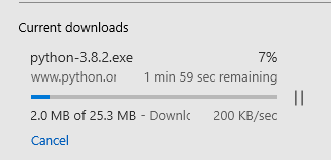
and download the suitable version for your computer OS.
If you don’t find suitable version then click on the link below,
For Windows: https://www.python.org/ftp/python/3.8.2/python-3.8.2.exe
For Linux: https://www.python.org/ftp/python/3.8.2/Python-3.8.2.tgz
2.Install Python IDE
Open the downloaded file and Install the given IDE.
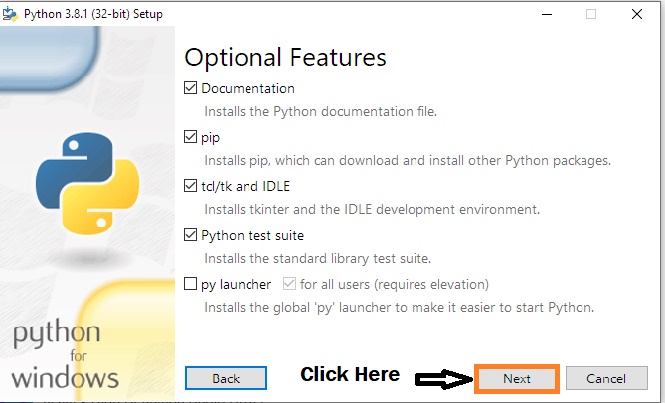
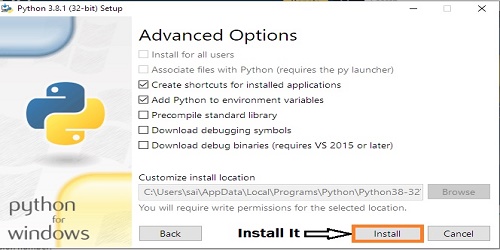
3.Yes,you are ready to use python interpreter in your computer.
4.Open the Terminal
If you have Windows OS then open the command prompt available for windows.If you have an Ubuntu OS ie.Linux then open the terminal which is available in your Ubuntu OS.
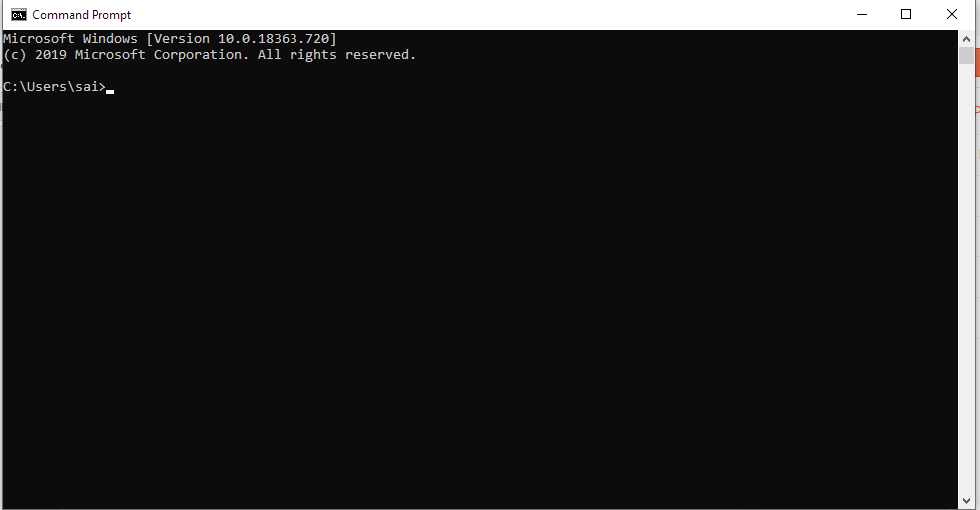
5.Give the command
In Windows , type the command python see it your python interpreter is ready.
In Ubuntu , type the command python3 and see your python interpreter is ready in Linux system.
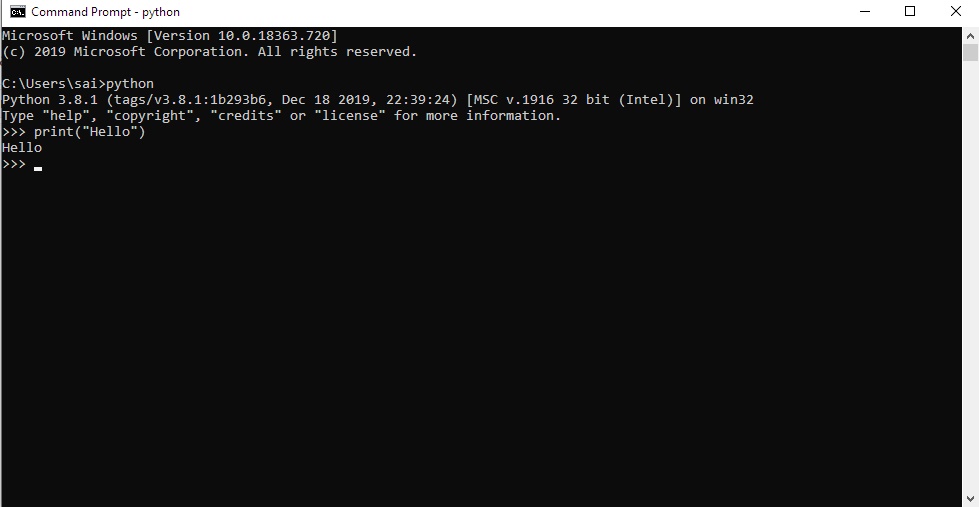
6.Run External Program Code
Since Python is interpreted language ie. it only execute the line of code.
For Windows,But if you wan’t execute the program code then open your Notepad and write your python code and save it with .py extension.Then open your command prompt and type the command cd ie. It is known as change the directory and then type the name of folder in which your program is saved. like,If my program is saved in desktop then I give this command in my command prompt “cd desktop“.after that your folder is open in command prompt, then type the name of your python file with .py extension and hit the “Enter” button. Your Code is running in your Command prompt.
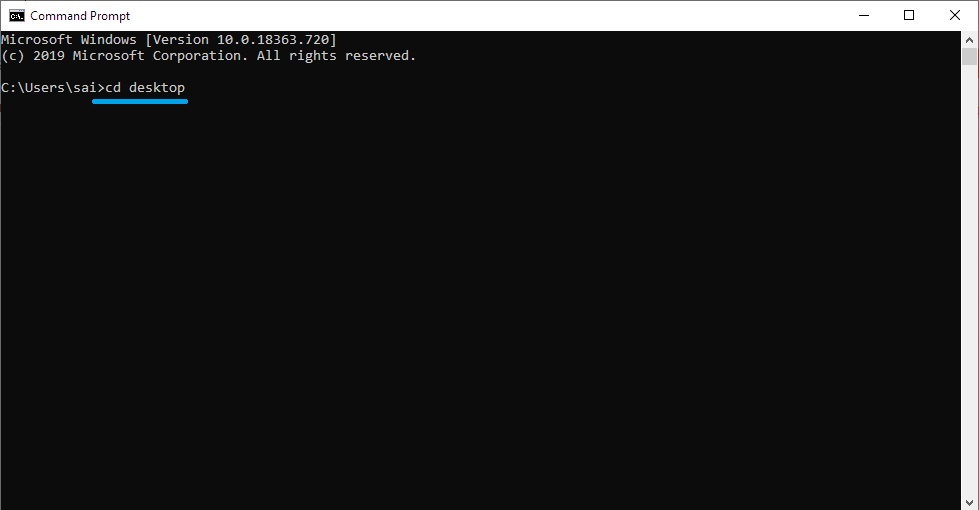
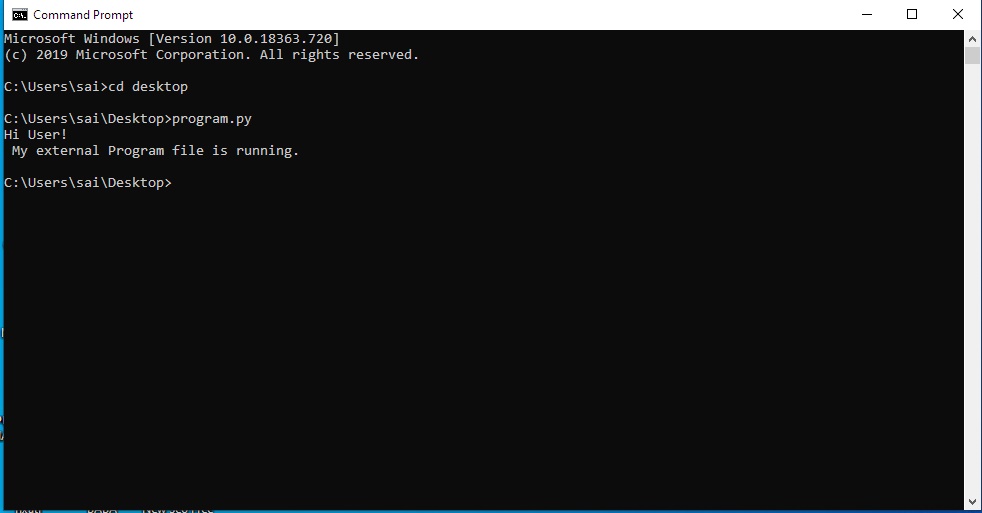
For Ubuntu, Create a empty document and save it with .py extension and then enter your code in that document with any text editor and save it. Then open your terminal and type the command cd ie. change the directory and give the name of your folder in which your program file is saved.like, if my program is saved in Home -> pythoncode -> program.py . Then I will give the following command cd pythoncode, Now pythoncode folder is open in Terminal and then type command python3 program.py and Let’s see your program is running at your Terminal.
Comment Me,If you face any difficulties while doing setup of your Python IDE.
Stay Happy || Stay Safe

