Be yourself; Everyone else is already taken.
— Oscar Wilde.
This is the first post on my new blog. I’m just getting this new blog going, so stay tuned for more. Subscribe below to get notified when I post new updates.
Be yourself; Everyone else is already taken.
— Oscar Wilde.
This is the first post on my new blog. I’m just getting this new blog going, so stay tuned for more. Subscribe below to get notified when I post new updates.

Hey Guys,
A List,they are the just like the arrays in other language,list contains strings,integers,as well as objects.In other words,List stores a sequence of objects in a defined order,they allow indexing and iterating through the list.Lists are mutable which you can modify after creation. A List is created by [].
A Tuple,is same as list. The only difference is that tuple is immutable that is the elements in tuple cannot be modify once it added.Another difference is “Tuples are sequence of heterogeneous data where list is homogeneous sequence of data.”Tuples is usually faster than list. A Tuple is created by ().
A Dictionary,is an sequence of key-value pairs.where it is similar to hash or maps in other language.The value can be accessed by unique key in the dictionary.Each key and value is separated by a colon(:).Search operations happen to be faster in dictionary as they use keys for searching. A dictionary is created by {}.
Index Positions for List & Tuple are started from 0 (zero).
Methods Followed by List , Tuple and Dictionary in Python.
ex. list1 is a list of names
list1=[“Swaraj“,”Suraj“,”Manas“,”Pankaj“]
print(list1)
Output:
[‘Swaraj’, ‘Suraj’, ‘Manas’, ‘Pankaj’]
list1=[“Swaraj“,”Suraj“,”Manas“,”Pankaj“]
list1[3]=”Shreyas“
print(list1[2]) # print the image at index position 2
print(list1) # The whole list is printed
Output:
Manas
[‘Swaraj’, ‘Suraj’, ‘Manas’, ‘Shreyas’]
list1=[“Swaraj“,”Suraj“,”Manas“,”Pankaj“]
print(list1)
del list1[2] #delete the element at index position 2
print(list1)
list1=[“Swaraj“,”Suraj“,”Manas“,”Pankaj“]
del list1[1:3] # The list removes from index oreder 1 to 3 where 3 is excluded and 1 is included.
print(list1)
del list1
Output:
[‘Swaraj’, ‘Suraj’, ‘Manas’, ‘Pankaj’]
[‘Swaraj’, ‘Suraj’, ‘Pankaj’]
[‘Swaraj’, ‘Pankaj’]
list1=[“Swaraj“,”Suraj“,”Manas“,”Pankaj“]
list2=[“shreyas“,”Pranesh“]
list1[2]=list2 #list2 is added in the list1 at index position 2
print(list1)
Output:
[‘Swaraj’, ‘Suraj’, [‘shreyas’, ‘Pranesh’], ‘Pankaj’]
ex. tup1 is a tuple of sequence of even number in the range 1 to 11
tup1=(2,4,6,8,10)
print(tup1)
Output:
(2, 4, 6, 8, 10)
tup1=(2,4,6,8,10)
print(tup1)
print(tup1[2:4])
Output:
(2, 4, 6, 8, 10)
(6, 8)
tup1=(2,4,6,8,10)
tup2=(1,3,5,7,9)
tup3=tup1+tup2
print(tup3)
Output:
(2, 4, 6, 8, 10, 1, 3, 5, 7, 9)
tup1=(2,4,6,8,10)
del tup1[2] # show error message since tuple has immutable type hence element in tuple is not deleted
print(tup1)
del tup1
print(tup1) # show error message since the whole tuple is deleted
Output:
Traceback (most recent call last):
File “C:\Users\sai\Desktop\ex.py”, line 2, in
del tup1[2] # show error message since tuple has immutable type hence element in tuple is not deleted
TypeError: ‘tuple’ object doesn’t support item deletion
ex. dict1 is a dictionary of student information.
dict1={‘Roll_no‘:’16‘,’Name‘:’Suraj‘,’class‘:’BE‘}
print(dict1)
Output:
{‘Roll_no’: ’16’, ‘Name’: ‘Suraj’, ‘class’: ‘BE’}
In dictinary value is accessed by key which is assigned to value.
syntax:dict1={key:value}
dict1={‘Roll_no‘:’16‘,’Name‘:’Suraj‘,’class‘:’BE‘}
print(“Dict[‘Roll_no’]:“,dict1[‘Roll_no‘]) #show the value assigned to the key “Roll_no” .
Output:
Dict[‘Roll_no’]:16
To add new entry or a key-value pair in a dictionary,just spcify the key-value pair as you had done for existing pairs.
syntax:dictionary_name[key]=value
dict1={‘Roll_no‘:’16‘,’Name‘:’Suraj‘,’class‘:’BE‘}
dict1[‘division‘]=”D” # This key-value pair is added at the last position in dict1 dictionary.
print(dict1)
Output:
{‘Roll_no’: ’16’, ‘Name’: ‘Suraj’, ‘class’: ‘BE’, ‘division’: ‘D’}
syntax:del dictionary_variable[key]
dict1={‘Roll_no‘:’16‘,’Name‘:’Suraj‘,’class‘:’BE‘}
print(dict1)
del dict1[‘Roll_no‘] # deleting a key of “Roll_no”
print(dict1)
del dict1 # the whole dictionary is deleted
print(dict1)
Output:
{‘Roll_no’: ’16’, ‘Name’: ‘Suraj’, ‘class’: ‘BE’}
{‘Name’: ‘Suraj’, ‘class’: ‘BE’}
Traceback (most recent call last):
File “C:\Users\sai\Desktop\ex.py”, line 6, in
print(dict1)
NameError: name ‘dict1’ is not defined
syntax:dictionary_name.pop(key)
dict1={‘Roll_no‘:’16‘,’Name‘:’Suraj‘,’class‘:’BE‘}
print(dict1)
dict1.pop(“Name“)
print(dict1)
Output:
{‘Roll_no’: ’16’, ‘Name’: ‘Suraj’, ‘class’: ‘BE’}
{‘Roll_no’: ’16’, ‘class’: ‘BE’}
ex.
dict1={‘Roll_no‘:’16‘,’Name‘:’Suraj‘,’class‘:’BE‘,’Name‘:’Kriti‘}
print(“Dict[‘Name’]:“,dict1[‘Name‘])
Output:
Dict[‘Name’]: Kriti
Comment me if you have some doubt.
Stay Safe || Stay Happy
and download the suitable version for your computer OS.
If you don’t find suitable version then click on the link below,
For Windows: https://www.python.org/ftp/python/3.8.2/python-3.8.2.exe
For Linux: https://www.python.org/ftp/python/3.8.2/Python-3.8.2.tgz
Open the downloaded file and Install the given IDE.
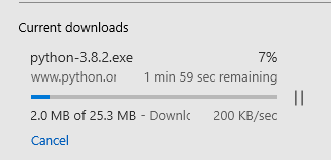
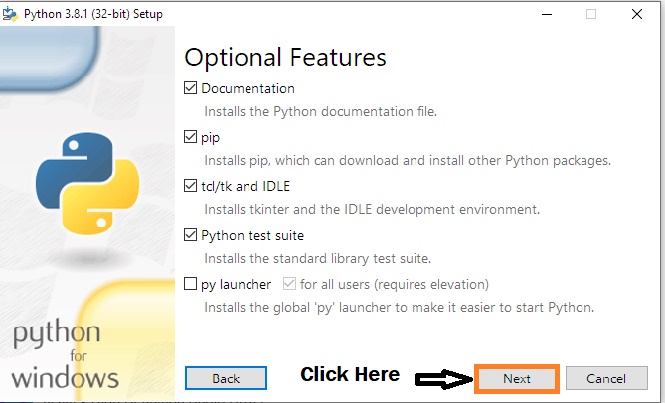
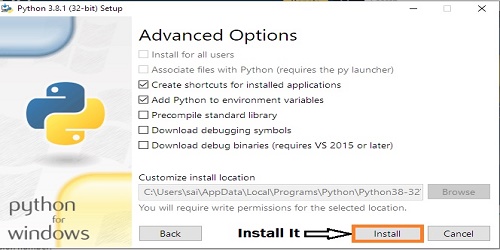
If you have Windows OS then open the command prompt available for windows.If you have an Ubuntu OS ie.Linux then open the terminal which is available in your Ubuntu OS.
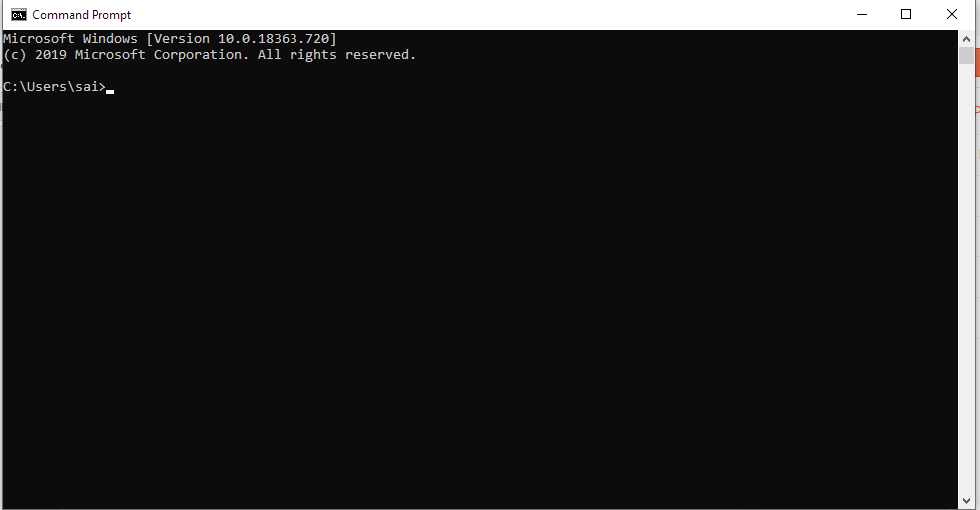
In Windows , type the command python see it your python interpreter is ready.
In Ubuntu , type the command python3 and see your python interpreter is ready in Linux system.
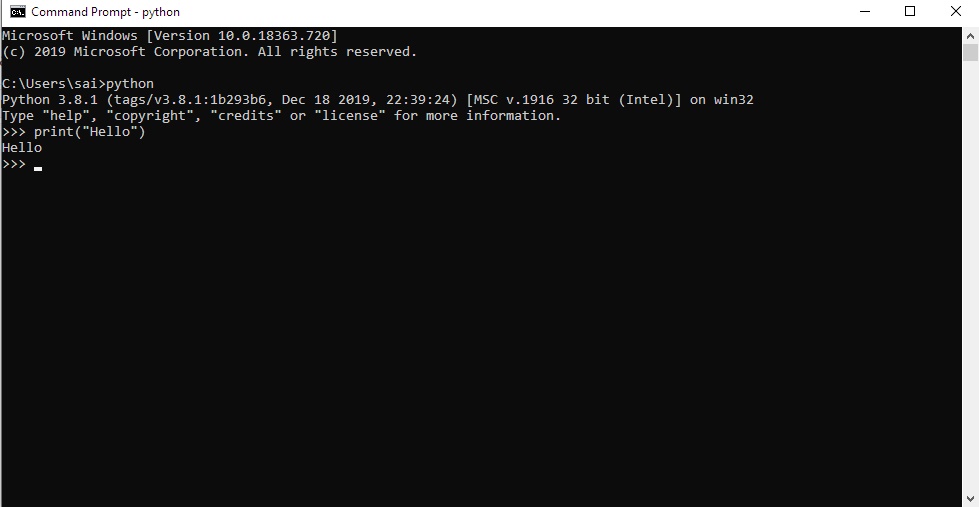
Since Python is interpreted language ie. it only execute the line of code.
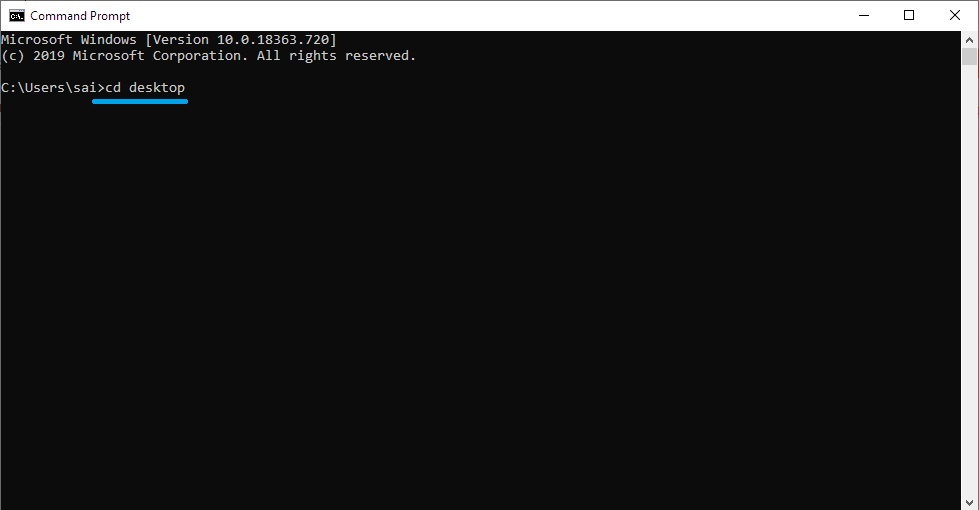
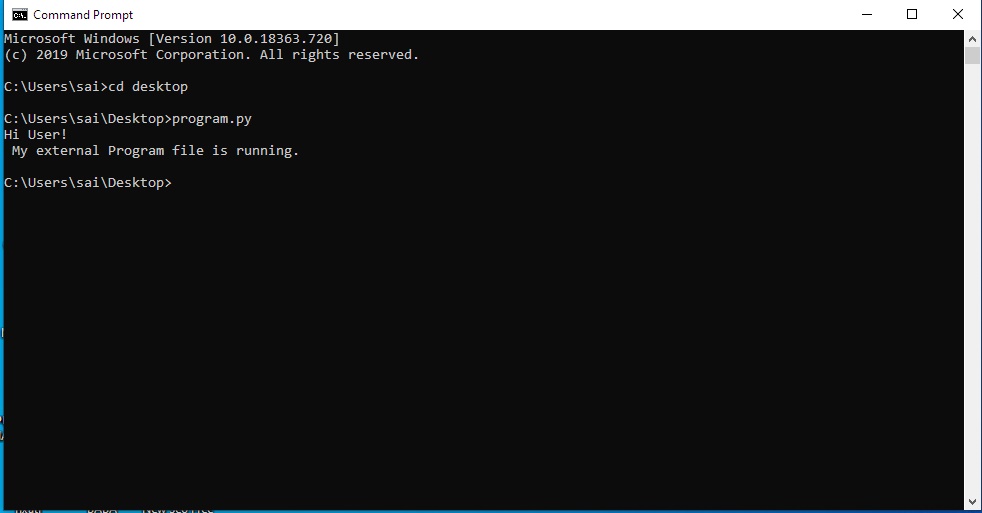
For Windows,But if you wan’t execute the program code then open your Notepad and write your python code and save it with .py extension.Then open your command prompt and type the command cd ie. It is known as change the directory and then type the name of folder in which your program is saved. like,If my program is saved in desktop then I give this command in my command prompt “cd desktop“.after that your folder is open in command prompt, then type the name of your python file with .py extension and hit the “Enter” button. Your Code is running in your Command prompt.
For Ubuntu, Create a empty document and save it with .py extension and then enter your code in that document with any text editor and save it. Then open your terminal and type the command cd ie. change the directory and give the name of your folder in which your program file is saved.like, if my program is saved in Home -> pythoncode -> program.py . Then I will give the following command cd pythoncode, Now pythoncode folder is open in Terminal and then type command python3 program.py and Let’s see your program is running at your Terminal.
Comment Me,If you face any difficulties while doing setup of your Python IDE.
Stay Happy || Stay Safe
Android apps changed our complex life easier by solving our real time problems . whereas Programming is a new trend for great incomes at IT industries hence, many of the peoples are wanted to start learn programming but their are some little problems every newbie can face.That how to start? they just need an guidance.
Hence thinking about this era expert android programmers are necessity of companies because many of the peoples learn the programming but they can’t implement it in their real life.This is critical situation .
Hence while learning the programming,understanding is the most important thing that we wan’t to focus.Therefore, I founded some of the all time best programming language for android as well as ios app development.
Let’s Start.
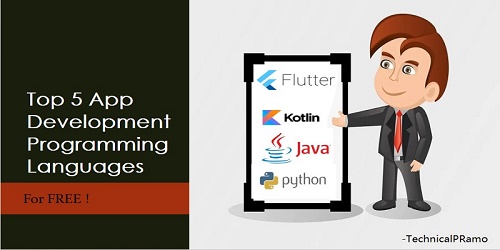
Top 5 Android app development Programming Languages.
1) Java
2) Kotlin
3) C++
4) Flutter
5) Python
Java
It is a general-purpose object oriented programming language which is class based and designed to have as few implementation dependencies as possible.It is most popular language for android app development and also favored for Iot (ie. Internet of things).
Java is founded by James Gosling at 1991 for the development of console application but it’s later version are applicable to make android apps.It also be used to build a small application module or applet for use of a webpage.
It is also used in web apps by using it’s supported version in HTML ie. JavaScript.
Speciality of JAVA:
1.Programs created in Java offer portability in network.
2.It’s object oriented.
3.Code is robust.
4.Data is secure.
5.Developer learn it easily and quickly.
6.Syntax is mostly similar to c++.
Kotlin
Kotlin is a cross-platform,statically typed,general purpose programming language where Kotlin is designed to interperate fully with JAVA.Kotlin is designed and developed by JetBrains in 2011.
Kotlin is the best alternative for the JAVA. Hence this is proof of fact that Android Studio comes support of Kotlin like it has for JAVA.
In android studio,converting java files to kotlin, it only needs Kotlin plugin,adding to gradle build files and clicking on convert.
Speciality of Kotlin:
1.Kotlin is more android focused
2.It’s versatile and easily convertible.
3.It is easy to learn.
4.It has an Interactive editor.
5.Kotlin is more more concise than JAVA.
C++
C++ is a popular programming language.C++ language is created by Bjarne Stroustrup in 1998 as an extension of C programming.
It basically used to make web application.C++ is already well-used on Android, google states that, while it will not benefit most apps.it could improve useful for CPU-intensive application such as game engines.After that the question comes in our mind if there are other app development languages the why to learn c++?
Answer is that, On android the os and its supports infrastructure are designed to support application written in JAVA & Kotlin programming language.Whereas C++ mainly used in developing the suites of game tool.
C++ is fastest computer language it also used for AI Programming.C++ is fast because it directly compiled to binaries.But it is little hard to learning and remembering the syntax.
Flutter

Flutter is an open-sourse UI software development Kit created by Google. As it’s a open source says that it is free for everyone to create android apps.It is used to develop applications for Android,ios,Windows,Mac,Linux,and the Web.
The first version of flutter was known as codename ‘sky’ and run on the android operating system.
It is created by Google in May 2017 which allows you to development of mobile application with only one codebase.
Flutter uses single language for front end and back end programming.This android development language is used by the companies like GeekAnts,Yakka,BrainMobi,XongoLab etc.
Python
Last but not least, Most popular programming language comes ie.Python.
Python is an interpreted high level programming language created by Guido Van Rossum in 1991.At present Python’s 3.8 version is used which comes with readymade standard libraries.like Tkinter,kivy,etc.
The main thing is that python is a object oriented programming language.
It allows you to focus on core functionality of the application by taking care of common programming task.whereas it is best than c++.Python can be used for android app development even though android doesn’t native python development.
This can be done using various tools that convert the python apps into its android packages that can run on supported android devices.
In increasing research in technology python is used for Web development,console application, game development,Machine Learning ,Artificial Intelligence,etc.
Whereas kivy is used for desktop and Mobile Apps.kivy is a free open source python library for developing mobile apps and other multitouch application software with a Natural user interface (NUI).kivy support GUI toolkit.
Hence it is all time best Programming language which is used in almost all platforms.
If you have any doubt then comment me below..
Stay Happy || Stay Safe
What is GitHub?
This question arises in many minds of programmer / developers who are reading this article..Am I Correct ?
New developers are always exited about this,So let’s start..
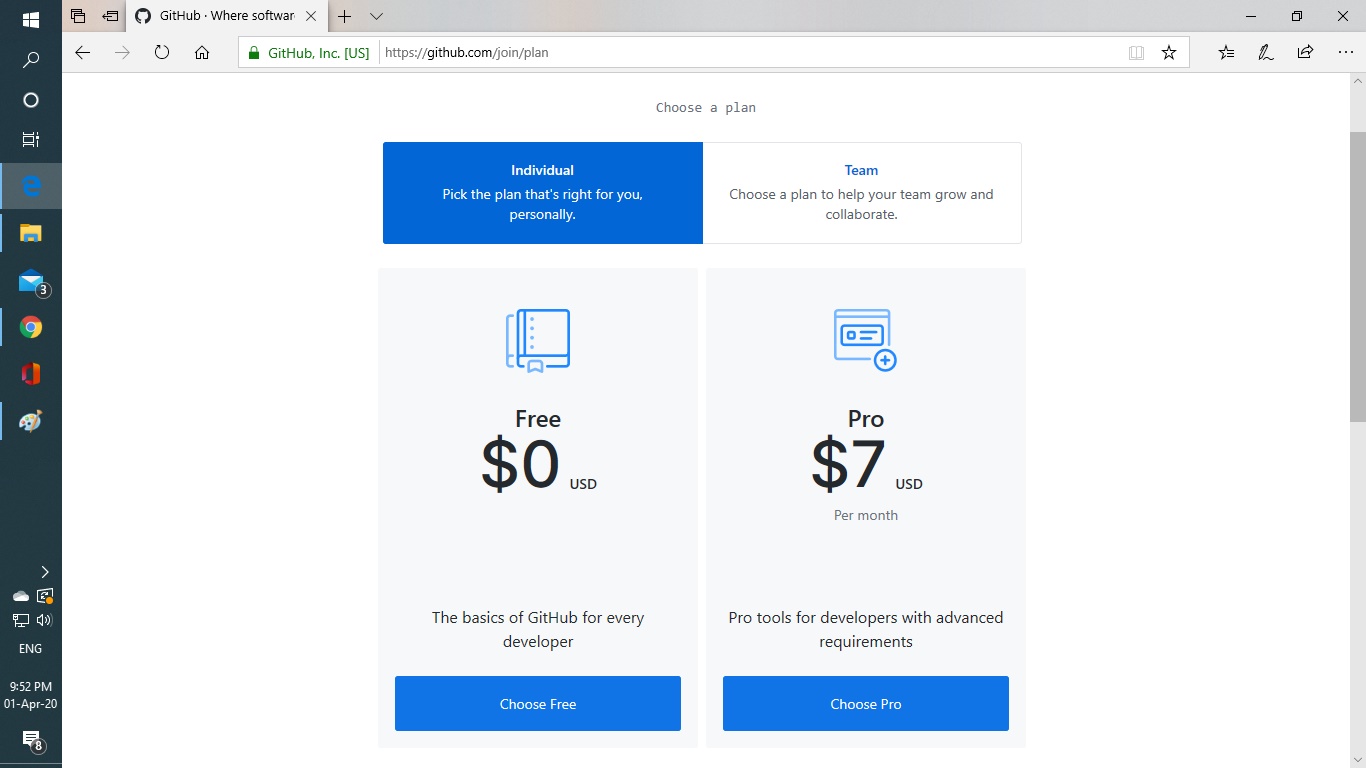
GitHub is a US-Based global company which provides hosting for software. Basically in simple language GitHub is a Web-based platform used for version control.It allows us to manage Git repositories.
GitHub, Inc. is currently owned by Microsoft and it is founded by developers Tom Preston-Werner,Chris Wanstrath,Scott chacon,P.J.Hyett in 2008.
Getting an knowledge about GitHub it is important to know first that what is a Git and What is a Repository in GitHub?
What is Git?
Git is a version control system that allows you to manage and keep track of your source code history.
It simplifies the process of working with other people and makes it easy to collaborate on projects.
It is started by Linux creator Linus Torvalds in 2005 with their developers.The purpose of Git is only that to manage source code,projects and set of files.
GitHub is popular in recent 5-6 years because increase in IT industries and necessity of sharing of source codes to one user to another user.The some interesting methods are attraction of GitHub.Some of them are Forking,Pull request,Merge.
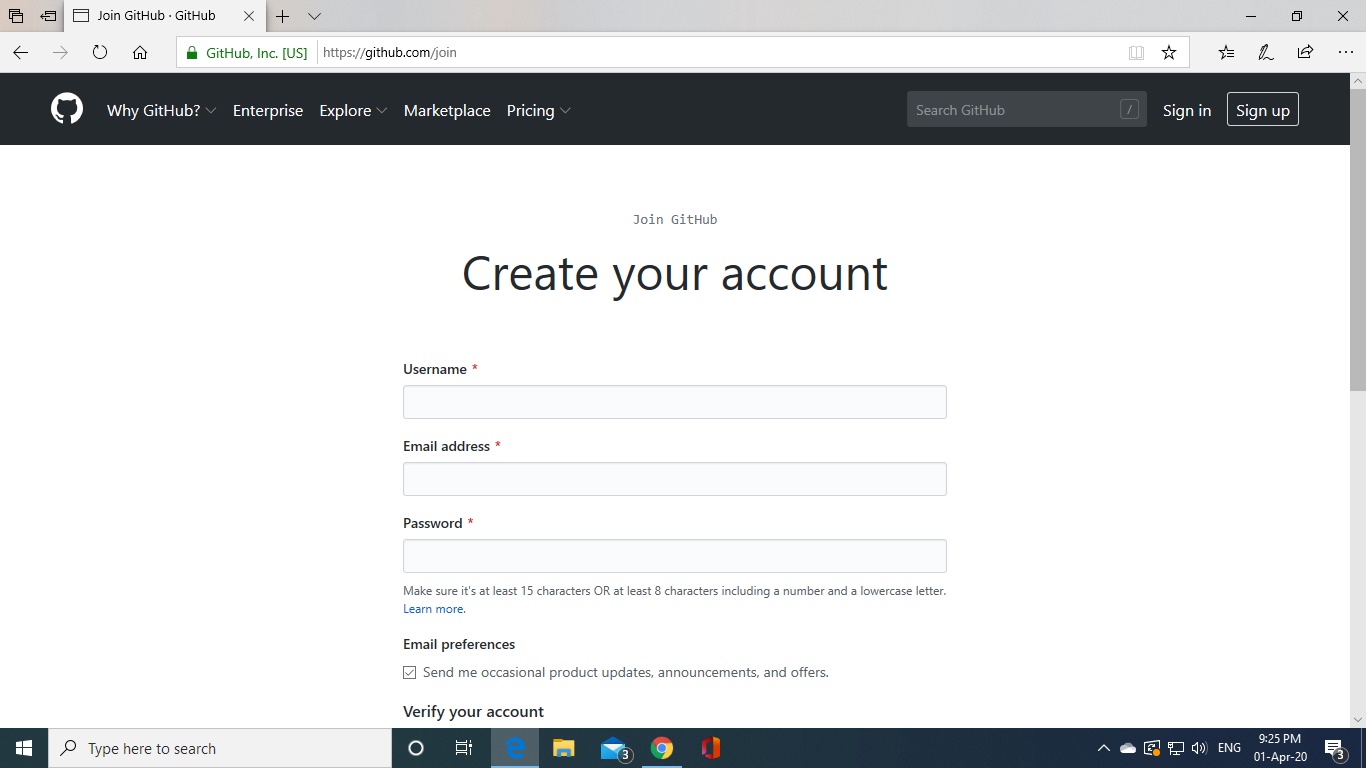
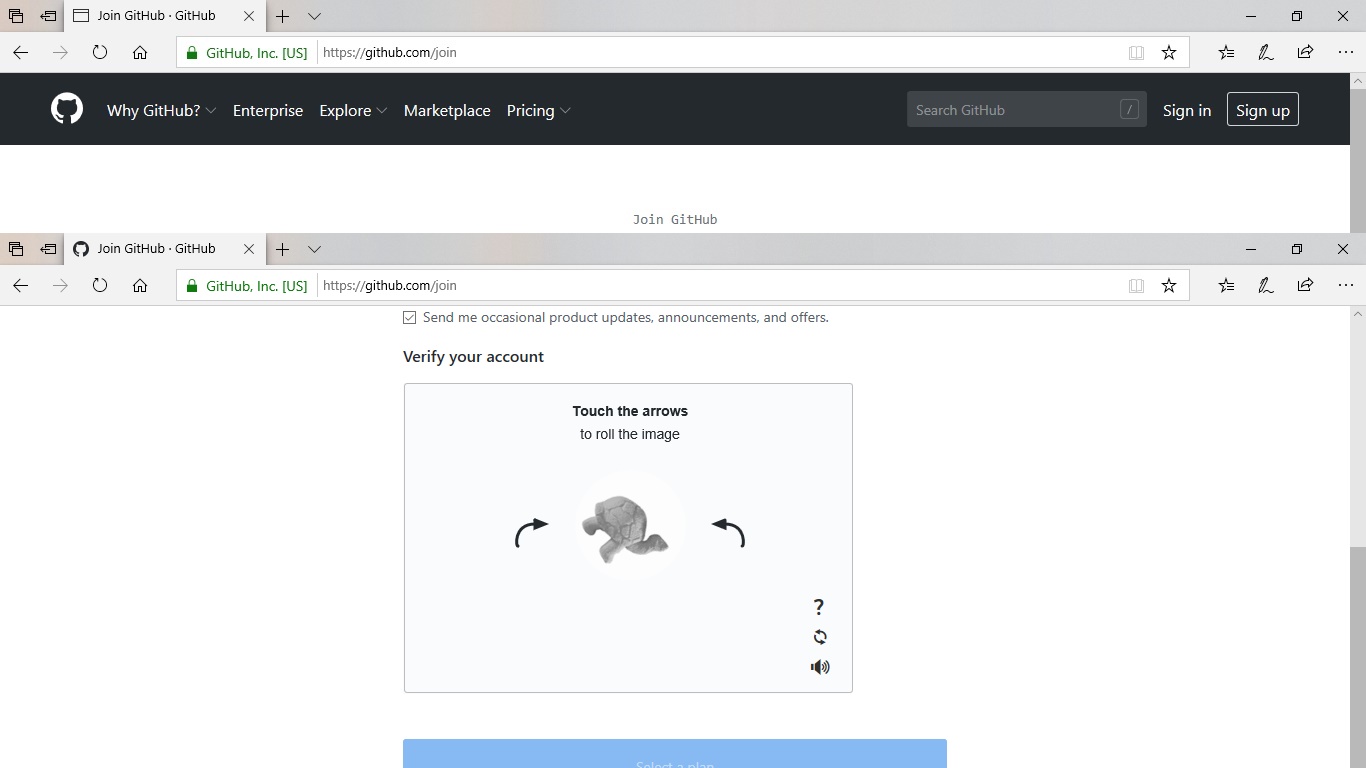

Some Same types of examples given below for practise .try to examine its working by own or comment me I give you whole explanation about that code and its output.

1) Python
Python is higher level programming language and syntax used in this language is very familiar with our normal English language.
And as reference to performance it was
As we know this companies pay highest packages for experts in this language.
C language is the general purpose programming language used for object oriented programming.
C language require less time for its compilation but it’s syntax somewhat complex and it requires more description for a program instructions.
Usually normal 10-15 lines of python program corresponds to 30-35 lines in c programming.
Any Programming Language is basically written in C language.So the C language is basically known as Fundamental Programming Language.
As substitute to this language there are many language used for programming like c++,Java,etc.
As talking about object oriented above language is great but for web development there are basic language is used that is ..
As only HTML language is not sufficient for advanced development purposes hence in HTML JavaScript language is used.
JavaScript is embedded in HTML language . This language is supported by Google Chrome,Mozilla Firefox,Inernet Explorer and all the web browsers.
As to develop great designing CSS is also embedded in HTML language.As CSS stands for Cascading style sheets which provided different functions to web pages.
This is an example post, originally published as part of Blogging University. Enroll in one of our ten programs, and start your blog right.
You’re going to publish a post today. Don’t worry about how your blog looks. Don’t worry if you haven’t given it a name yet, or you’re feeling overwhelmed. Just click the “New Post” button, and tell us why you’re here.
Why do this?
The post can be short or long, a personal intro to your life or a bloggy mission statement, a manifesto for the future or a simple outline of your the types of things you hope to publish.
To help you get started, here are a few questions:
You’re not locked into any of this; one of the wonderful things about blogs is how they constantly evolve as we learn, grow, and interact with one another — but it’s good to know where and why you started, and articulating your goals may just give you a few other post ideas.
Can’t think how to get started? Just write the first thing that pops into your head. Anne Lamott, author of a book on writing we love, says that you need to give yourself permission to write a “crappy first draft”. Anne makes a great point — just start writing, and worry about editing it later.
When you’re ready to publish, give your post three to five tags that describe your blog’s focus — writing, photography, fiction, parenting, food, cars, movies, sports, whatever. These tags will help others who care about your topics find you in the Reader. Make sure one of the tags is “zerotohero,” so other new bloggers can find you, too.

 TechnologyWALA